

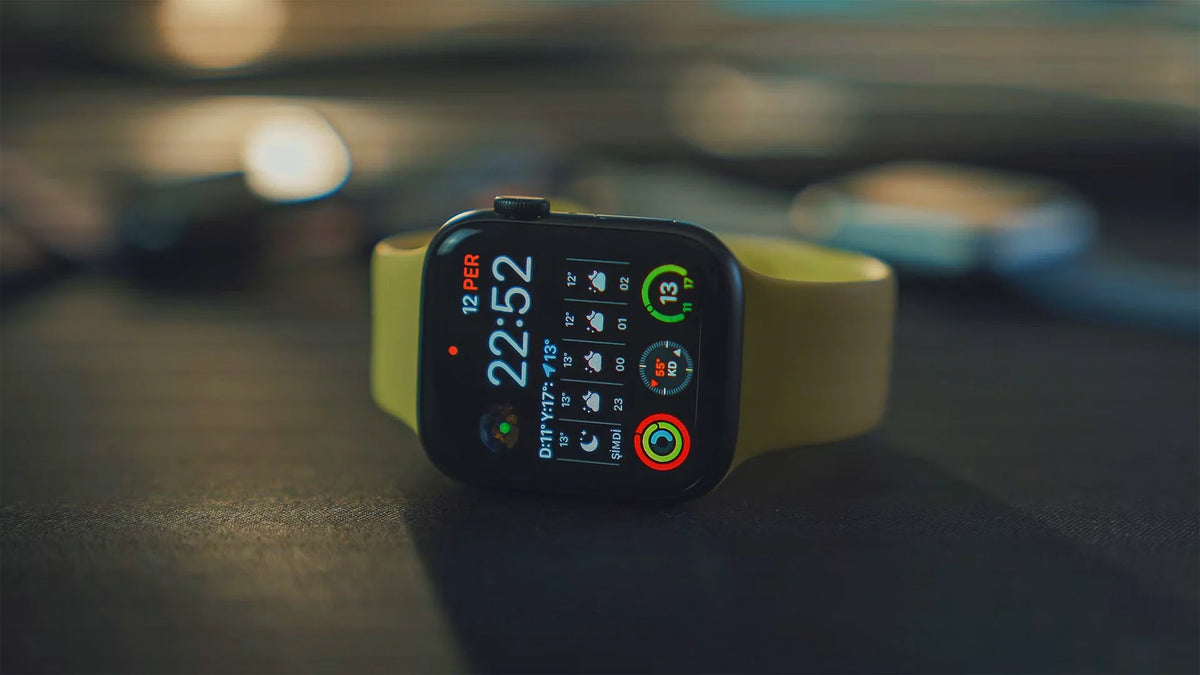
The right Apple Watch SE band size depends on two things: your watch's case size and your wrist measurement. All three SE generations come in 40mm and 44mm versions, but a replacement band's size label doesn't always have to match the number on your watch.
Here's how to find a compatible band, check whether an older one will still fit, and choose the right size for your wrist.
Apple Watch SE Band Sizes: 40mm vs. 44mm
The original Apple Watch SE, SE 2, and SE 3 all come in 40mm and 44mm case sizes. Band compatibility depends on the case size, not the SE generation.
| Apple Watch Model | Case Sizes | Compatible Band Size Groups |
|---|---|---|
| Apple Watch SE (1st Gen) | 40mm / 44mm | 40mm group / 44mm group |
| Apple Watch SE 2 | 40mm / 44mm | 40mm group / 44mm group |
| Apple Watch SE 3 | 40mm / 44mm | 40mm group / 44mm group |
A band that fits a 40mm SE will also fit a 40mm SE 2 or SE 3. The same goes for the 44mm versions.
GPS and GPS + Cellular models follow the same band compatibility rules when their case sizes match. Cellular connectivity doesn't change how the band attaches.
Keep in mind that 40mm and 44mm refer to the watch case, not your wrist circumference. You'll need to choose the band's length separately.
Apple confirms the case sizes for all three generations in its official Apple Watch identification guide.
How to Check Your Apple Watch SE Case Size
If you're not sure which size you have, turn your Apple Watch over and look at the engraving on the back. You'll find either 40mm or 44mm marked on the case.

To check which SE generation you own, use your paired iPhone:
- Open the Watch app and select My Watch.
- Go to General > About.
- Find Model Number. Tap the number beginning with "M" to reveal the model number beginning with "A".
- Look up that number in Apple's Watch model identification list.
For example, the GPS version of Apple Watch SE 2 uses model number A2722 for the 40mm case and A2723 for the 44mm case. GPS + Cellular versions have different model numbers.
Once you know your case size, you can check whether bands made for other Apple Watch models will fit.
Which Other Apple Watch Bands Fit the SE?
A band doesn't have to be labeled specifically for Apple Watch SE to fit. Many bands made for other Apple Watch models work with the SE, as long as they're in the same compatibility group.
Bands That Fit the 40mm Apple Watch SE
The 40mm Apple Watch SE works with bands designed for:
- 38mm Apple Watch cases
- 40mm Apple Watch cases
- 41mm Apple Watch cases
- Newer 42mm cases, including Apple Watch Series 10, 11, and 12
For example, a 41mm Sport Band from an Apple Watch Series 8 will fit a 40mm Apple Watch SE.

Bands That Fit the 44mm Apple Watch SE
The 44mm Apple Watch SE works with bands designed for:
- Older 42mm cases, including Apple Watch Series 1–3
- 44mm Apple Watch cases
- 45mm Apple Watch cases
- 46mm Apple Watch cases
- 49mm Apple Watch Ultra cases, subject to band-specific restrictions
For example, a 45mm band from an Apple Watch Series 9 will fit a 44mm SE.
Apple outlines these general compatibility groups in its Apple Watch band replacement guide.
Why Not Every 42mm Band Is the Same
The 42mm label can be confusing because Apple has used it for two different compatibility groups.
- Older 42mm bands (Series 1–3): Fit the 44mm Apple Watch SE.
- Newer 42mm bands (Series 10–12): Fit the 40mm Apple Watch SE.
If you're reusing an older band or shopping for a replacement, don't rely on the 42mm label alone. Check which Apple Watch generation the band was made for.
Apple's 42mm Sport Band specifications confirm compatibility with 38mm, 40mm, and 41mm models.
The same rules apply when upgrading between SE generations. If your existing band belongs to the right compatibility group, you can generally keep using it as long as it's in good condition and fits securely.
How to Choose the Right Band Length for Your Wrist
Once you've found a compatible band, the next step is checking its wrist-size range.

Two bands may attach to the same Apple Watch SE but fit different wrist circumferences. Case compatibility and wrist fit are two separate requirements.
Different bands use different sizing systems:
| Band Sizing Type | What to Check |
|---|---|
| S/M or M/L | The wrist circumference range for each size |
| Adjustable band | Its minimum and maximum supported wrist circumference |
| Numbered Solo Loop | Your size using the manufacturer's sizing tool |
| Fixed-length band | Its specified wrist fit range or band length |
S/M and M/L don't necessarily mean the same thing across brands. Check the measurements for the specific band you're considering.
Continuous bands, such as Apple's Solo Loop, require more precise sizing because there's no clasp or buckle to adjust once they're on your wrist. Apple provides a dedicated sizing tool for these bands.
If you don't know your wrist circumference, wrap a flexible measuring tape around the spot where you normally wear your watch. Keep it snug without pulling it tight, then compare the measurement with the band's size chart.
Your Apple Watch should sit securely without feeling restrictive. Apple recommends a snug but comfortable fit, with the back of the watch touching your skin so its sensors can work properly. See Apple's official wearing and fit guidance.
For step-by-step measuring instructions, see our Apple Watch band sizing guide.
Before buying, check both the band's case compatibility and its wrist-size range. Getting both right is what matters for a secure, comfortable fit.
One Less. One Flex.
The Next-Gen Milanese Solo Loop
Shop One FlexShare:
How Accurate Is the Apple Watch Solo Loop Sizing Tool?
How to Clean a Milanese Loop Apple Watch Band (Step by Step)