

- Does a MagSafe Case Affect Wireless Charging?
- How MagSafe Wireless Charging Actually Works
- The Three Factors That Can Change Wireless Charging Speed
- MagSafe Case vs Regular Case for Wireless Charging
- Made for MagSafe vs MagSafe Compatible: What Is the Difference?
- Do You Need a MagSafe Case for Wireless Charging?
- How to Choose a Case for Reliable MagSafe Charging
- FAQ About MagSafe Cases and Wireless Charging
Does a MagSafe Case Affect Wireless Charging?
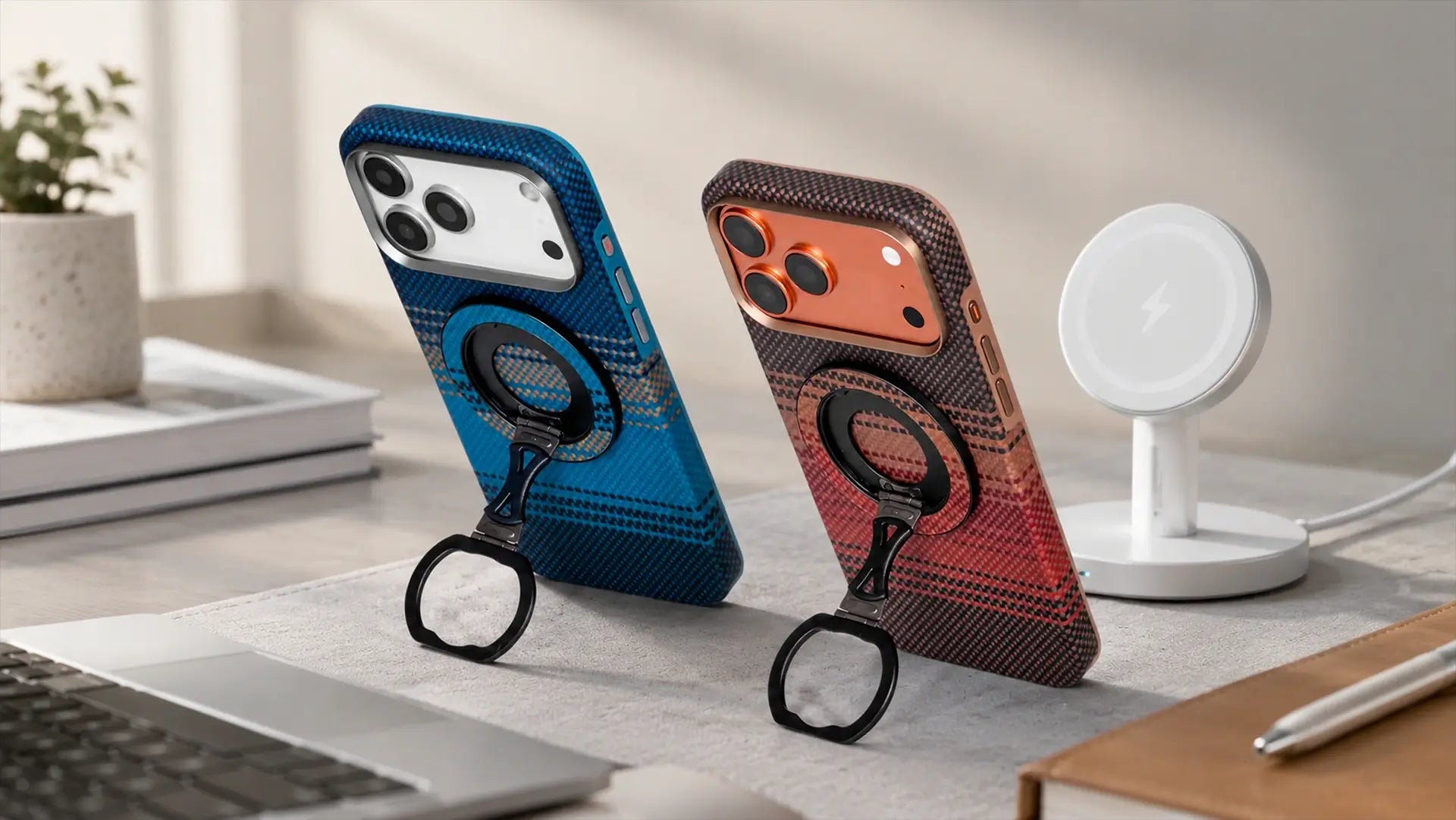
A MagSafe case usually does not affect wireless charging performance when it is thin, properly aligned, and made without interfering materials. The case itself does not increase or reduce the charger’s rated power. Instead, charging results depend on factors such as coil alignment, case thickness, phone model, charger quality, power adapter, and temperature.
The primary role of the MagSafe ring is to keep the charging coils positioned correctly.
- Alignment: The magnetic ring helps the charger stay centered with the phone’s internal charging coil. Better alignment can reduce interruptions during daily use.
- Thickness: A thicker case creates more distance between charging coils, which may lower charging efficiency. Slim cases usually work better for wireless charging with phone case setups.
- Heat: Wireless charging generates heat during energy transfer. Extra layers or heat-trapping materials may cause the phone to reduce charging speed temporarily.

For example, placing an iPhone with a MagSafe case on a bedside charger usually works reliably because the magnets help maintain the correct position. The phone is less likely to shift away from the charging area during the night.
However, results can vary depending on the complete setup. A thick wallet case, metal accessories, incorrect magnetic placement, or high phone temperatures may affect charging stability. Checking the case construction and charger compatibility can help avoid slower charging or unexpected disconnects.
How MagSafe Wireless Charging Actually Works
Wireless charging transfers power when a transmitter coil inside the charger creates an electromagnetic field that interacts with the receiver coil inside the phone. The charger sends energy through this connection, while the phone converts it into battery power. This process is the foundation of Qi wireless charging and Apple MagSafe charging.
The MagSafe ring adds magnetic alignment around the charging area. The magnets help attach the charger and keep the two coils positioned correctly, reducing movement during charging. The magnets themselves do not transfer electricity or increase the charger’s charging wattage. The phone, charger, power adapter, temperature, and system conditions all influence the final charging output.

Key distinction: MagSafe magnets improve coil alignment, but they do not directly create more charging power.
For example, placing a MagSafe charging puck on a desk without magnets may require small adjustments to find the charging position. With MagSafe case alignment, the charger can stay centered more easily during normal use. However, correct alignment does not guarantee identical charging speeds in every situation. A warm phone, different adapters, case materials, or charging conditions can still change performance.
The Three Factors That Can Change Wireless Charging Speed
- Coil alignment
This is the biggest factor when asking does a magsafe case affect wireless charging. A good MagSafe case alignment keeps the coils centered, which supports steadier power transfer. Strong magnets help the phone stay put, but they do not raise charging power. If the ring is slightly off, the case may hold firmly and still charge less efficiently. On a desk or car mount, even small shifts can matter.
- Case thickness
More material between the phone and charger increases distance. That can lower efficiency and make charging slower or intermittent. A thin case usually has less impact than a bulky one, but there is no single thickness cutoff. Case thickness wireless charging issues often show up first on older pads or during movement.
- Heat
Wireless charging already makes heat. Thick cases can trap it, and phones may reduce power to protect the battery. That is why MagSafe case charging speed can drop while streaming video or using navigation.

Anecdotally, some users notice little difference, while others see more heat or brief interruptions. Many care more about magnetic convenience than maximum speed. That is useful feedback, but not controlled testing.
MagSafe Case vs Regular Case for Wireless Charging
A MagSafe case mainly changes how the phone connects to a charger, not how much power the charger can deliver. Many thin, non-metal regular cases still support wireless charging, while MagSafe cases add magnetic alignment for more consistent positioning.
| Feature | MagSafe Case | Regular Case |
|---|---|---|
| Qi charging | Usually supported with compatible materials | Often supported if thin and non-metal |
| Magnetic alignment | Built-in ring helps center the charger | No magnetic positioning |
| Charger attachment | Holds MagSafe chargers and stands in place | Requires a flat charging surface |
| Accessory support | Works with MagSafe mounts and accessories | Limited without added magnets |
| Speed guarantee | Does not guarantee faster charging | Does not guarantee slower charging |

A regular case may work well on a flat Qi charging pad at home or on a desk. A MagSafe case can be more convenient for a car mount or stand because the phone stays attached and aligned. However, both options depend on case thickness, materials, charger quality, and phone temperature. The better choice depends on whether you need magnetic attachment and repeatable positioning in daily use.
Made for MagSafe vs MagSafe Compatible: What Is the Difference?
“Made for MagSafe” and “MagSafe Compatible” describe different levels of accessory verification and compatibility claims. “Made for MagSafe” generally refers to accessories that are part of Apple’s accessory ecosystem and follow Apple’s requirements. “MagSafe Compatible” usually means the manufacturer states that the accessory works with MagSafe devices or accessories, but it does not automatically mean Apple certification.
| Label | What It Usually Means | What It Does Not Guarantee |
|---|---|---|
| Made for MagSafe | Accessory follows Apple’s MagSafe accessory requirements | Identical charging speed in every setup |
| MagSafe Compatible | Manufacturer claims the accessory works with MagSafe devices | Apple certification or maximum charging performance |
Apple’s accessory ecosystem helps users identify products that are built to work with MagSafe features. However, the label alone does not determine charging results. Phone model, charger, power adapter, case structure, coil alignment, and temperature can all affect performance.
A certification or compatibility label can increase confidence, but neither one guarantees the same wireless charging speed in every situation.
Do You Need a MagSafe Case for Wireless Charging?
You do not need a MagSafe case for basic Qi wireless charging, but it can make magnetic charging setups easier and more reliable. A regular thin case may work well on a flat wireless charging pad if it does not contain metal parts or excessive thickness. A MagSafe case mainly adds magnetic alignment and attachment, not extra charging power.

You may not need one if:
- You mainly charge on a flat Qi charging pad at home or in the office.
- You rarely use magnetic accessories.
- Your current case already supports stable wireless charging.
A MagSafe case is more useful if:
- You use a MagSafe charging puck, stand, or car mount regularly.
- You want your phone to stay attached during travel or driving.
- You use magnetic wallets or battery packs.
For phones without built-in MagSafe, a magnetic case can improve attachment and positioning. However, it cannot add wireless charging to a phone without wireless charging hardware. Compatibility depends on the phone model, case construction, and charger.
Anecdotal feedback from users often focuses more on convenience than speed. Many users report that magnetic attachment makes daily charging easier, while noticeable charging speed improvements are less common. These experiences vary and are not controlled performance tests.
How to Choose a Case for Reliable MagSafe Charging
Check magnetic-ring placement
A case for MagSafe wireless charging needs accurate ring positioning. A strong magnetic hold does not always mean proper coil alignment. The case may attach firmly while still placing the charging ring slightly away from the phone’s internal coil.
Consider case thickness
Case thickness affects the distance between charging coils. Thicker cases may reduce charging efficiency or cause inconsistent connections with some chargers. Choose a case that balances protection, daily use, and charging compatibility.
Avoid metal interference
Metal plates, card holders, or other materials between the charging coils can interrupt wireless charging. Check that the case does not include components that block energy transfer.
Match the phone and charger
Confirm the exact iPhone model and check Apple, Qi, or Qi2 compatibility information when needed. Charging results also depend on the charger, power adapter, temperature, and usage conditions.

Quick troubleshooting
- Remove the case and test charging again.
- Reposition the charger to improve alignment.
- Remove wallets, cards, or metal plates.
- Let the phone cool if it feels warm.
- Try another compatible charger or adapter.
No case guarantees identical performance with every charger, but checking these factors can reduce common MagSafe charging issues.
FAQ About MagSafe Cases and Wireless Charging
MagSafe cases and wireless charging compatibility depend on several factors, including the phone model, case design, charger type, and daily usage habits. The questions below cover the most common concerns about charging speed, magnetic attachment, case thickness, and compatibility.
Do MagSafe cases work with wireless charging?
Most properly made MagSafe cases work with compatible wireless chargers. However, charging performance depends on the case thickness, magnetic alignment, phone model, and charger used.
Do you need a MagSafe case to use a MagSafe charger?
Supported iPhones can charge with a MagSafe charger without a case. A regular case may allow charging, but it usually will not provide the same magnetic attachment strength.
Can you use a MagSafe charger with a regular case?
Thin, non-metal regular cases may support wireless charging with a MagSafe charger. The main difference is that the phone may not stay aligned as reliably without built-in magnets.
Can a MagSafe case charge on a regular wireless charger?
Many MagSafe cases work with standard Qi wireless chargers. The final charging speed depends on the phone, charger output, adapter, temperature, and case construction.
Does case thickness affect wireless charging?
Yes, case thickness can influence charging efficiency because it increases the distance between the charging coils. There is no universal thickness limit, as different chargers and phones handle distance differently.
Does a stronger magnet make MagSafe charge faster?
A stronger magnet can help keep the charger attached and reduce movement. It does not directly increase charging wattage or guarantee faster charging.
SNAP ON. PROTECT MORE.
Aramid magnetic case for 360° protection.
Share:
Best iPhone Case for Protection in 2026: Everyday Buying Guide
Clear vs Opaque Phone Case: Which One Fits Your Daily Use?